
Campaign Report — Opens, Clicks, and the Deals They Influence
An email blast that goes out to everyone and reports back nothing more than “sent” is a guess dressed up as marketing. A campaign report turns the guess into numbers — and, more usefully, into names: exactly who opened, who clicked, and who’s worth a follow-up.
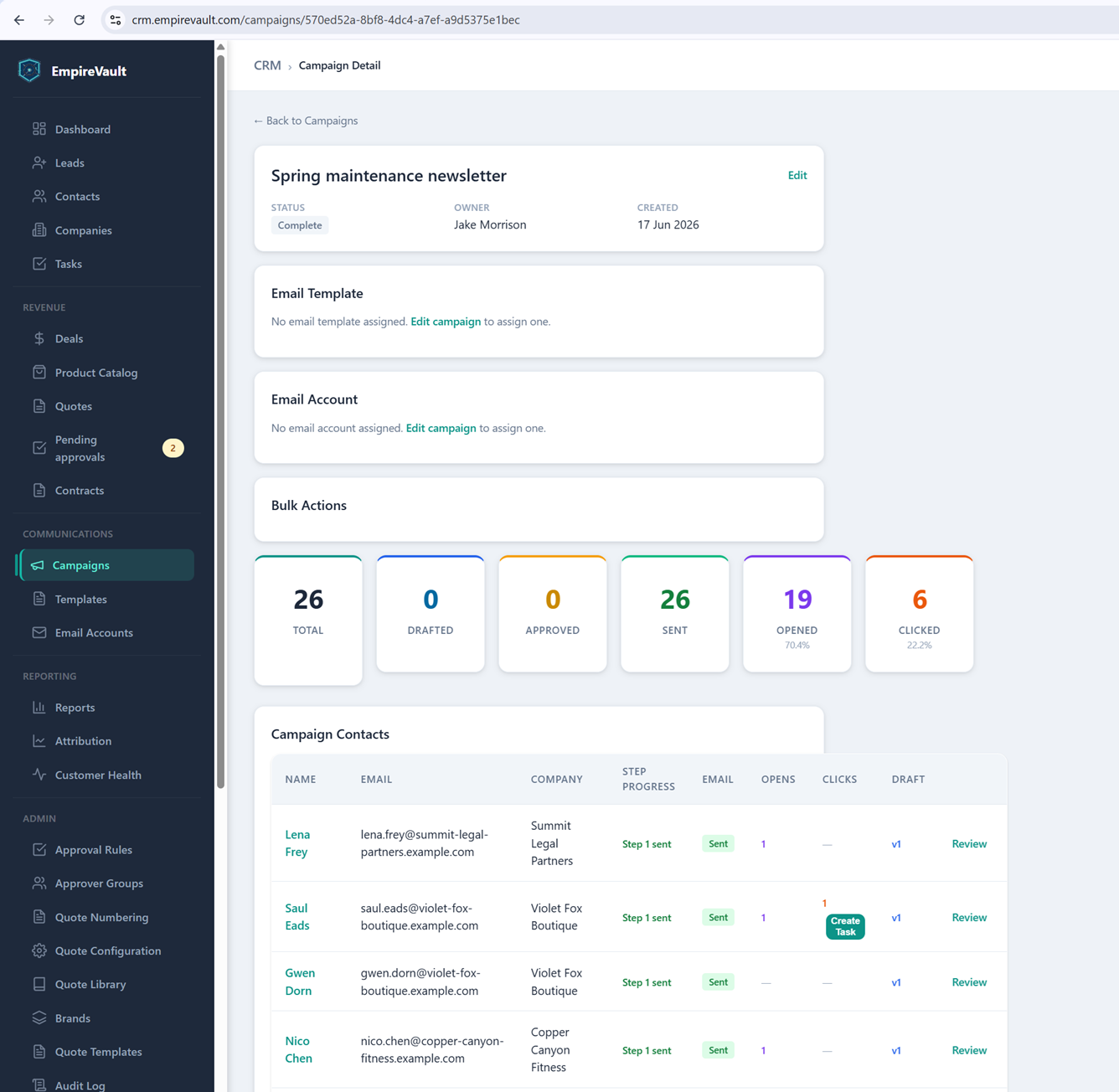
EmpireVault’s demo “Spring maintenance newsletter” is the campaign behind this report. A Bulk Actions summary counts 26 total, 0 drafted, 0 approved, and all 26 already sent. Of those, 19 opened (70.4%) and 6 clicked (22.2%). A Campaign Contacts table breaks that down per person — who opened, who clicked, and how many times each. The recipient list itself was built by filtering contacts on company, type, and tags, with anyone unsubscribed or suppressed automatically dropped before send.
Each email is personalized per contact rather than sent as one static blast. A click in the Campaign Contacts table can turn straight into a “Create Task” for follow-up, with no separate step to flag who just showed interest. Every message carries an unsubscribe link. Bounce handling reads delivery reports to suppress hard bounces immediately and soft bounces after repeated failures, keeping the list clean without manual pruning.
What this report answers first is whether the campaign was worth sending at all. Open and click rates say whether the subject line and offer landed. The per-contact table says exactly who to follow up with next. A separate Attribution view ties campaigns back to the deals they influenced, for the moment someone asks whether marketing paid for itself.
See It with Your Own Data
Every screen shown here ships in one subscription. Try the whole platform free for 21 days.