
Form Builder — Every Submission Becomes a Lead
Website forms often stall at “thanks for your message” — the data sits in an inbox, disconnected from anything a sales or ops team can actually act on. Building the form inside EmpireVault keeps that connection intact from the first field to the last submission.
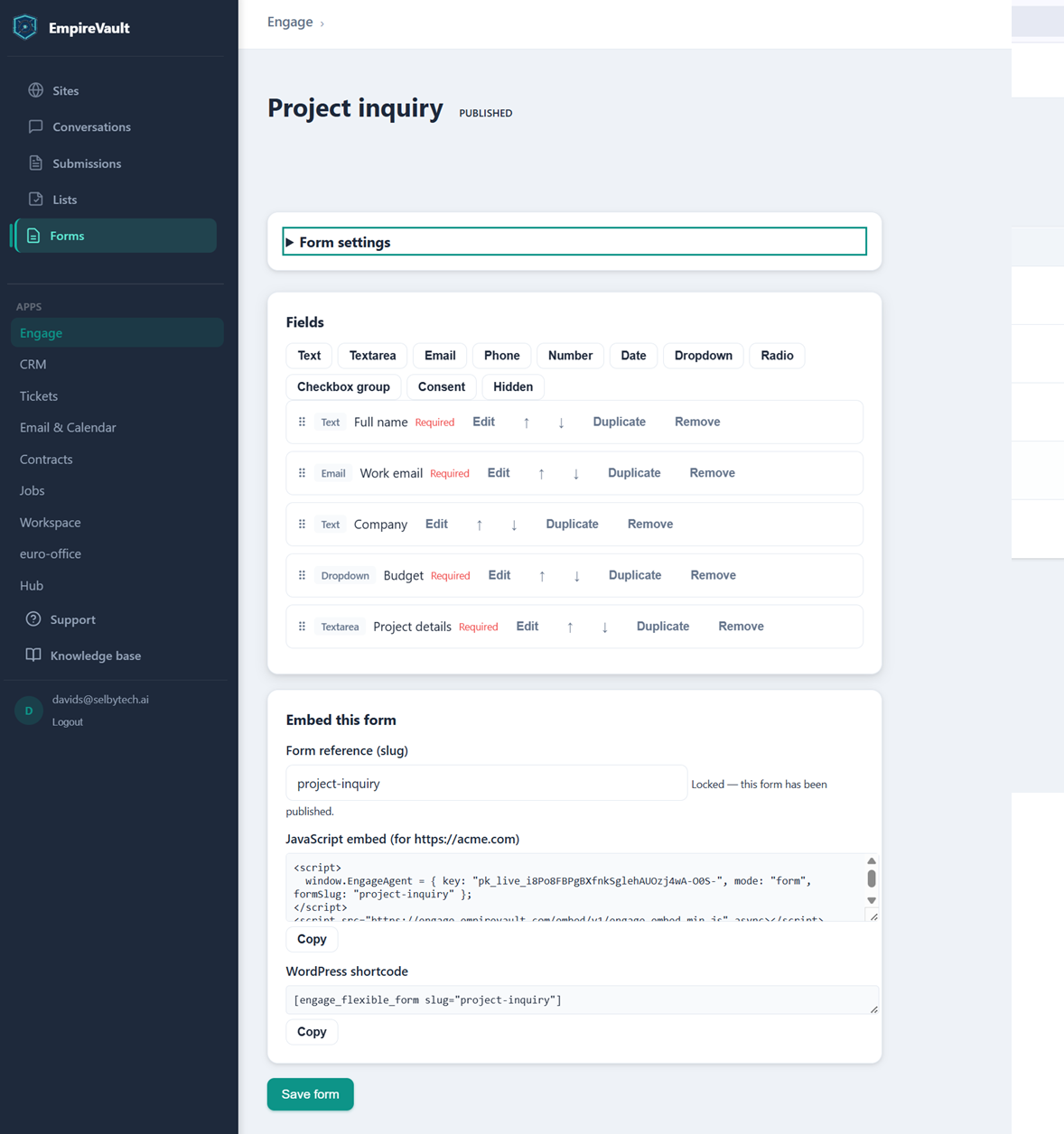
The form pictured here, “Project inquiry,” is already published and open for edits. A Fields panel lists eleven available field types: text, textarea, email, phone, number, date, dropdown, radio, checkbox group, consent, and hidden. The form itself currently has five. Full name, Work email, Budget, and Project details are required, alongside an optional Company field. Each field row carries Edit, reorder, Duplicate, and Remove controls, so rearranging the form means dragging rows, not rewriting markup. Below the fields, an “Embed this form” panel gives two ways to put it live. One is a JavaScript snippet keyed to a live publishable key for any website. The other is a WordPress shortcode for sites already running WordPress.
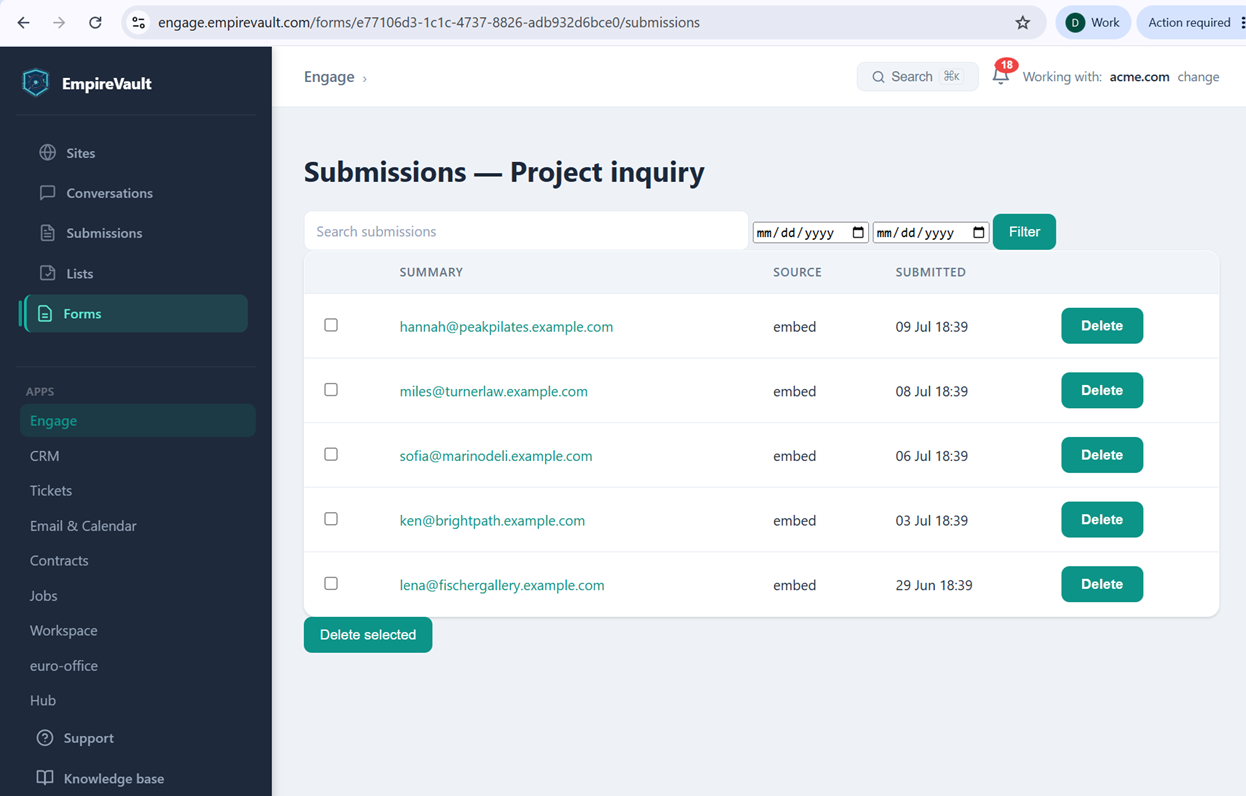
Five submissions have already come in through that embed, shown here in the Submissions list for this form. The five come from contacts at Peak Pilates, Turner Law, Marino Deli, Bright Path, and Fischer Gallery. Each is captured by email address with its source (“embed”) and the date it landed, most recent first. A search box and date-range filter sit above the table for finding one later, and a Delete / Delete selected pair keeps the list tidy. From a full submission, that captured data can turn straight into a workspace task, a CRM lead, or a linked contact record without anyone re-typing it.
The two halves work together. The builder means a new form is minutes of dragging fields, not a ticket to a developer. The submissions view means nobody has to check an inbox to know a lead came in. A form stays unpublished — closed to visitors — until someone chooses to publish it. Once it’s live, an optional follow-up email can thank the visitor immediately. That email’s wording is locked in at publish time and needs a republish to change. Embed the same form on ten pages or ten different sites, and every one of them feeds this same submissions list.
See It with Your Own Data
Every screen shown here ships in one subscription. Try the whole platform free for 21 days.