
Online Quotes — From Line Items to Accepted, All Tracked
A quote that lives in a Word doc or a PDF attachment is a dead end the moment it’s sent. There’s no visibility into whether the client opened it. There’s also no path from “accepted” to an invoice without someone re-typing every line. An online quote closes that gap.
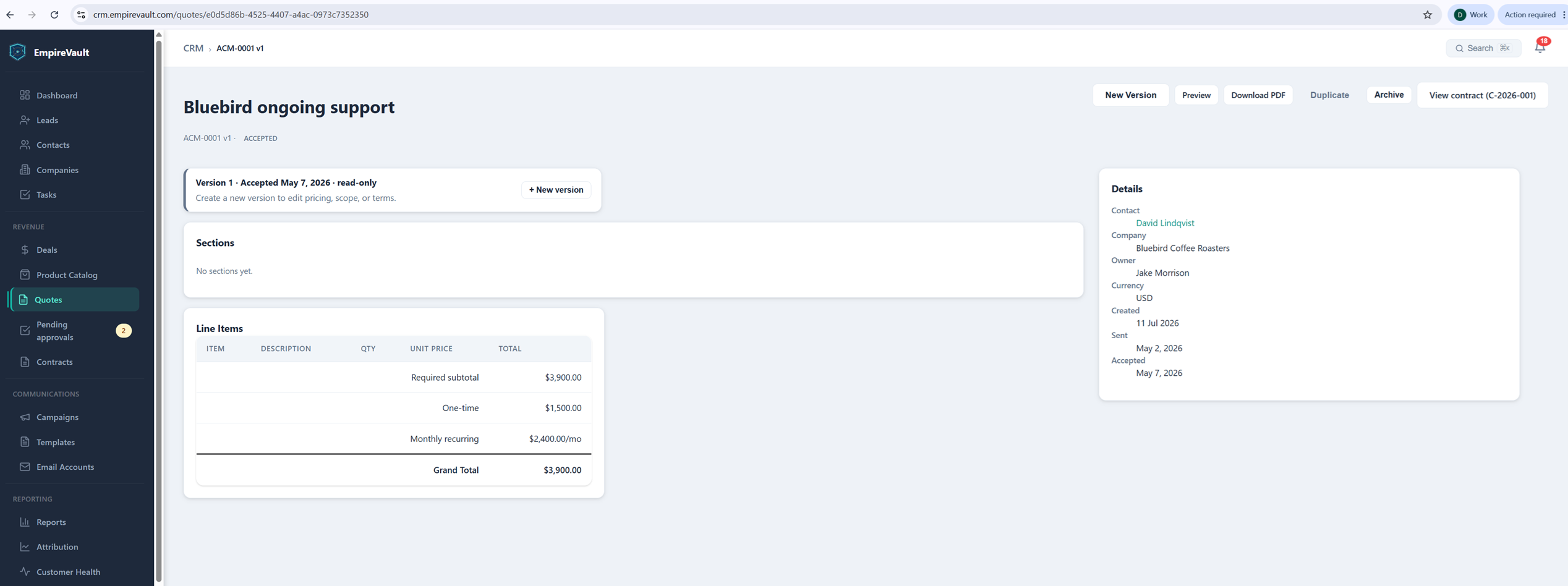
Pictured here is a sent statement-of-work quote in EmpireVault’s demo workspace. It shows line items with quantities and prices, a running total, an expiration date, and a status badge showing where things stand. The engagement type behind the quote determines which fields show up: time and materials, fixed price, retainer, or subscription. A retainer surfaces billing frequency and minimum commitment, where a fixed-price scope shows phases and dates instead. Line items are categorized as one-time, recurring, time-and-materials, milestone, expense, or fee. That category drives how the total breaks down between billable services and pass-through costs. The client sees exactly what they’re paying for and why.
Items can be pulled straight from a product catalog instead of typed from scratch. They can be bundled together with roll-up or fixed pricing, and discounted at the line or the whole-quote level. Tax and payment terms are already set from account defaults. When the client accepts online, that acceptance is the trigger. EmpireVault can generate the contract and the first invoice from the accepted quote without anyone re-keying a single line item.
An online quote is the difference between quoting and chasing, in practice. Status and expiry are visible at a glance, so a quote that’s gone quiet for two weeks is easy to spot and follow up on. A quote that’s accepted turns into billable work the same afternoon instead of the same week.
See It with Your Own Data
Every screen shown here ships in one subscription. Try the whole platform free for 21 days.