
Document Version History — Every Save, Recoverable
Three people editing one document over two weeks turns that file name into a stack of different documents wearing the same label. The version everyone actually needs often isn’t the one currently open.
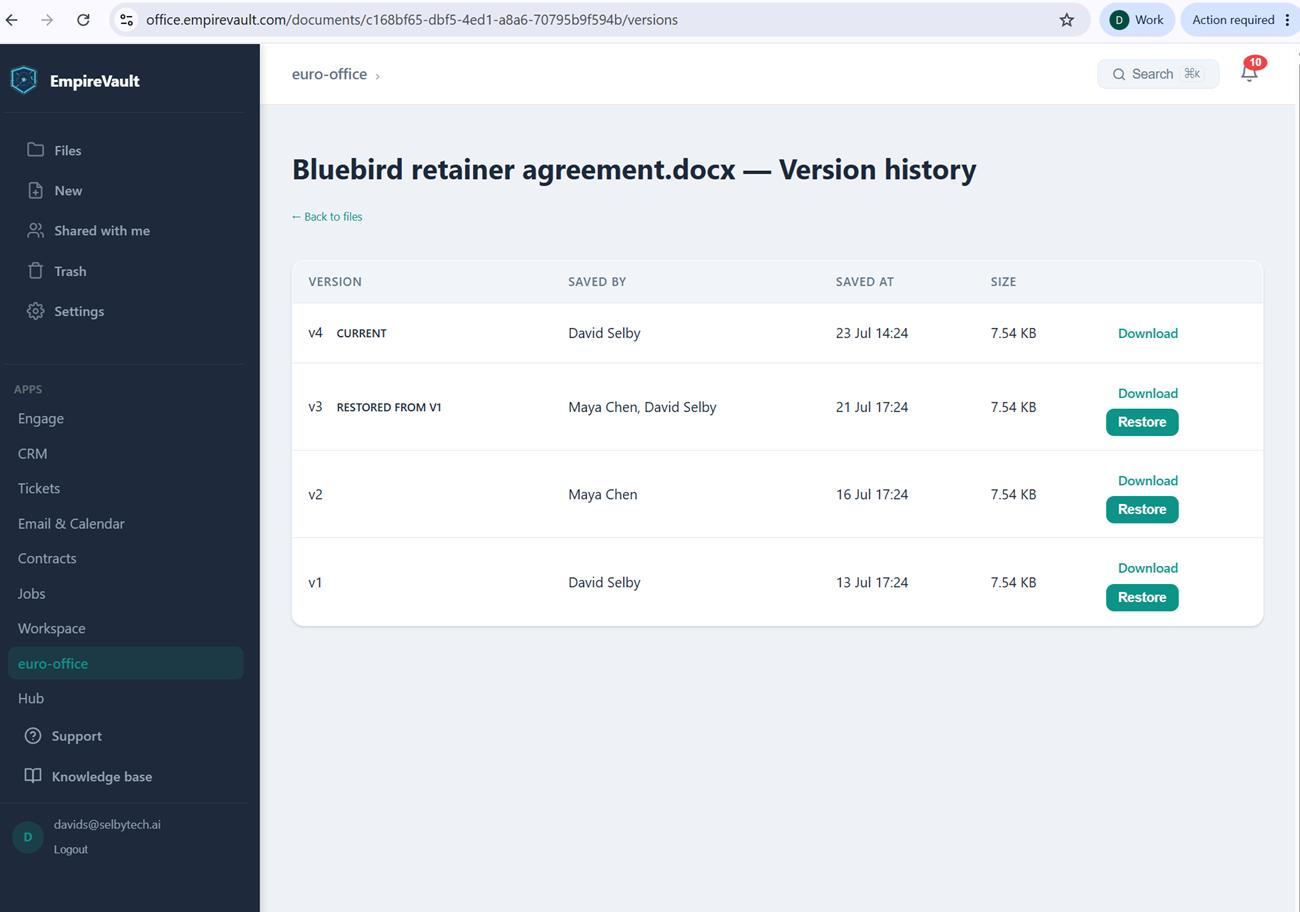
Pictured is the version history for “Bluebird retainer agreement.docx,” four versions deep. Version 4 is current, saved by David Selby earlier today. Version 3 carries a “Restored from V1” badge and two names, Maya Chen and David Selby. The badge means that save recovered version 1’s content rather than starting a new draft from scratch. Versions 2 and 1 sit below it with their own save times, each with its own Download link and, for anything short of the current version, a Restore button. A “Back to files” link is the only way out of the page — there’s no delete here, only history.
A version gets created when an editing session ends and its changes finish saving, not the moment a file is uploaded or first created. The trail therefore reflects real work sessions, complete with everyone who took part in each one. Restoring doesn’t erase what came after it. Reverting to an earlier version writes a brand-new version containing that old content, exactly like version 3 here. Nothing in between actually disappears, and the restore itself can be undone. By default the most recent 50 versions stick around before older ones age out, though that limit can be raised or turned off entirely.
The result is that “who changed what, and can we get it back” never depends on someone’s memory or a frantic search through emailed attachments. The file, every version of it, and the record of who touched each one stays on your platform rather than scattered across other companies’ cloud drives. Every version is recoverable in one click, whether that’s version 3 or version 1.
See It with Your Own Data
Every screen shown here ships in one subscription. Try the whole platform free for 21 days.