
Contacts and Segments — Build a List Once, Reuse It Everywhere
Every time you need “everyone at a mid-market account who hasn’t heard from us this month,” a contact list without segments turns into a scroll-and-squint exercise. Tags and saved segments turn that into a filter you set up once and reuse for as long as it stays useful.
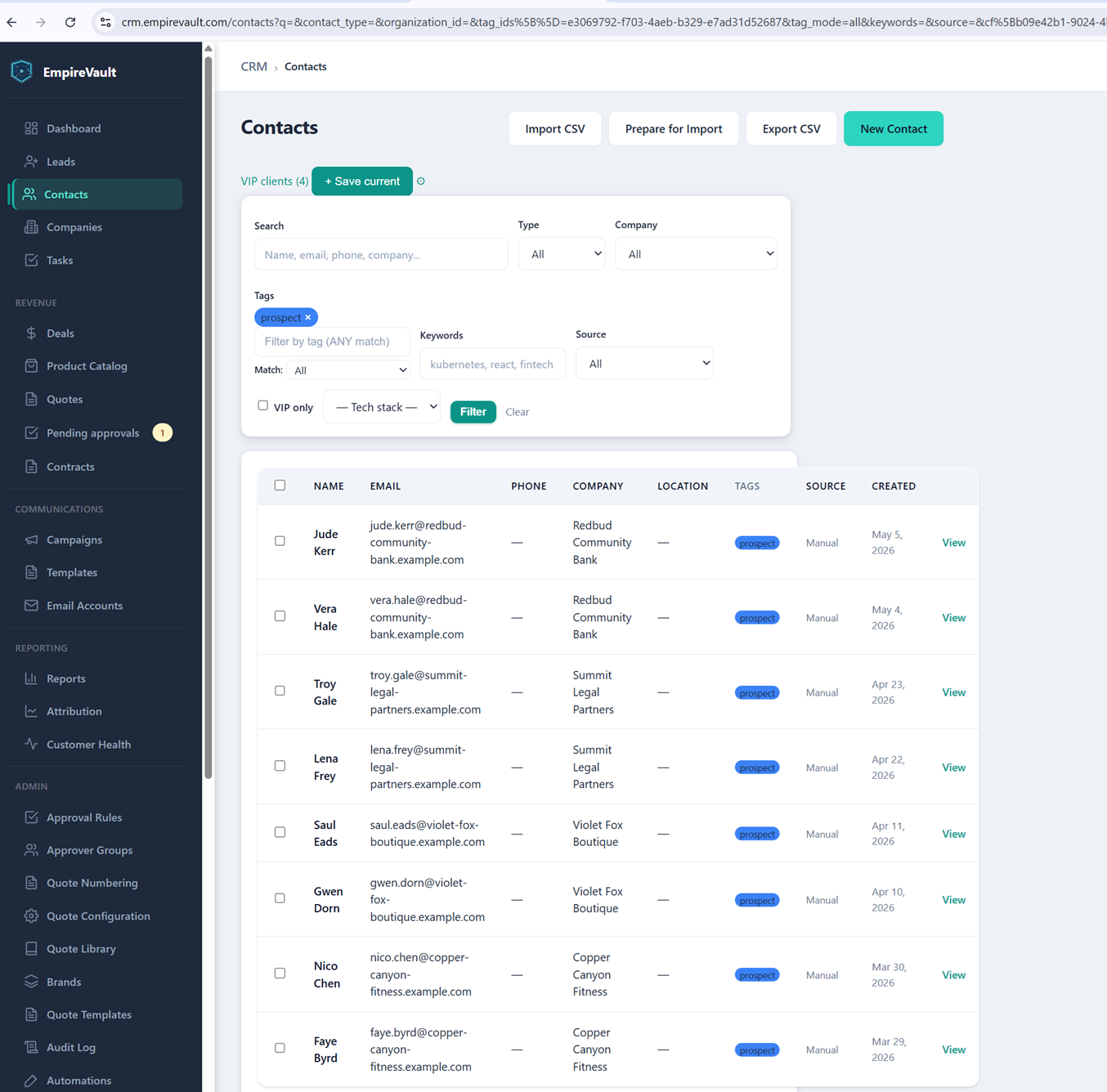
EmpireVault’s demo contact list runs 39 contacts deep, currently filtered by a “prospect” tag chip. Everyone on it carries that tag, a contact type (client, consumer, applicant, or candidate), and the company they belong to. A “VIP clients (4)” shortcut sits at the top of the page, alongside a “VIP only” checkbox and a filter for tech-stack custom fields. The shortcut is a saved segment one click away from this same filter panel. The filter panel itself covers tag, type, company, source, and VIP status. It shows a live count of who currently qualifies and a match mode of any, all, or none of the tags picked.
A saved segment like VIP clients doesn’t need rebuilding from scratch, so it shows up wherever contacts do. It can be the recipient list for a campaign or the audience behind a report. When someone asks “who are our best accounts, again?” it also works as a quick filter. The tag filter applied here works the same way for anything less permanent. Select a handful of contacts from any list and a bulk action bar appears for retagging or reclassifying them in one pass. Admins can share a segment with the whole team so everyone is filtering the same way, or keep one private while they test it.
What this setup keeps in check is a growing contact list turning useless from sheer size. A saved VIP segment means a win-back campaign or a renewal push starts from an accurate list in seconds. Nobody has to manually eyeball 39 records — or a few thousand — to guess who counts.
See It with Your Own Data
Every screen shown here ships in one subscription. Try the whole platform free for 21 days.