
AI Resume Scoring — Start with the Strongest Candidates
Sorting real candidates from long shots by eye means opening every resume that comes in, in whatever order it arrived. That is a slow way to find the two or three actually worth a callback.
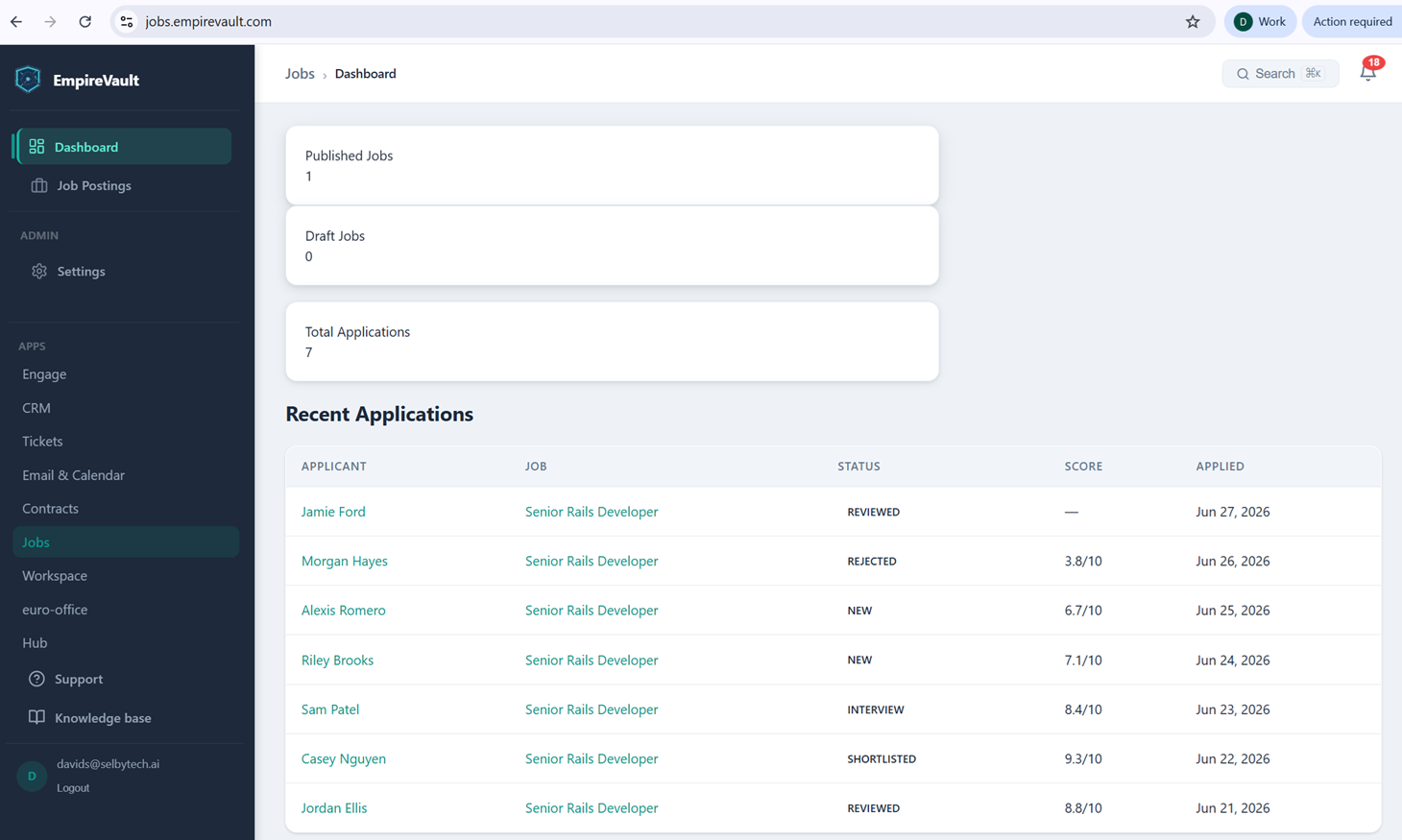
The Jobs Dashboard pictured here summarizes hiring for the demo workspace’s Senior Rails Developer posting: one published job, no drafts, and seven total applications. A Recent Applications table lists each candidate by name with their application status: New, Reviewed, Interview, Shortlisted, or Rejected. Next to each status sits an AI score out of 10. Casey Nguyen is at 9.3, Jordan Ellis at 8.8, Sam Patel at 8.4, Riley Brooks at 7.1, Alexis Romero at 6.7, and Morgan Hayes at 3.8. The table is ordered by when each person applied, most recent first, not by score. Jamie Ford’s application sits at the top and still shows no score at all. That gap is a reminder that scoring runs on its own schedule rather than the instant a resume lands.
Each score comes from comparing the submitted resume against the job posting’s own description and qualifications. A short fit summary and rationale back it up, one click away on the applicant’s own page. Scoring reads PDF and Word resumes; a scanned image, an old .doc file, or a password-protected one won’t score automatically. Turning it on is a single toggle in Jobs Settings for automatic scoring on submission, with a manual re-score option for whenever a posting’s requirements change.
The payoff for a hiring manager is a shortcut past the inbox. With a score already sitting next to every name, deciding who to open first doesn’t require reading all seven resumes end to end. Casey Nguyen’s 9.3 stands out at a glance, even sitting third from the bottom of a list still sorted by application date rather than fit.
See It with Your Own Data
Every screen shown here ships in one subscription. Try the whole platform free for 21 days.