
Project Board — Work That Lives Next to Your Clients
Task lists tend to live wherever they were easiest to start: a shared doc, or a separate project-management app the client’s team never gets access to. They end up disconnected from the CRM record that says who the client actually is and what they’re paying for.
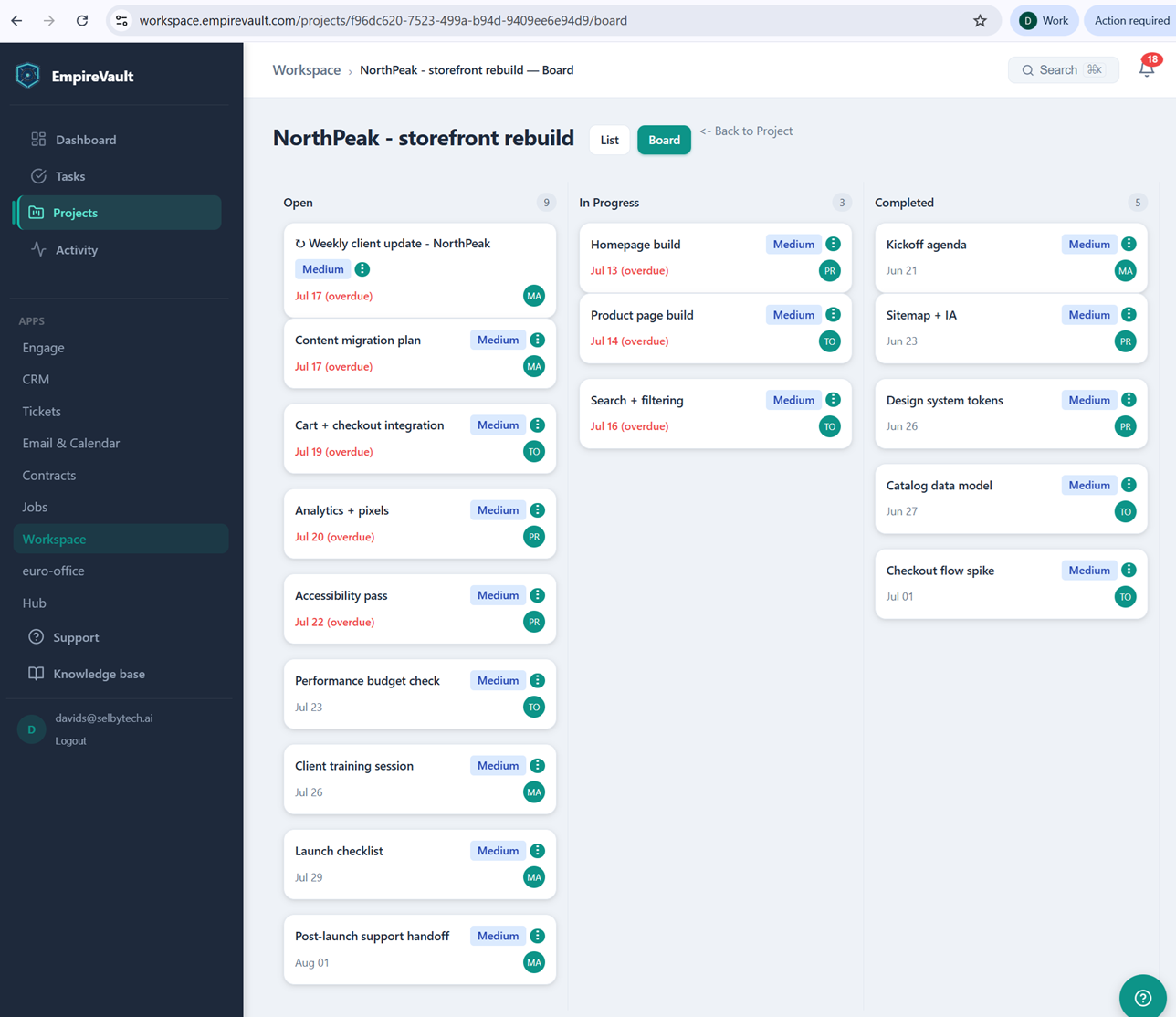
The board pictured is “NorthPeak – storefront rebuild,” one project inside EmpireVault’s Workspace, with 17 tasks split across three columns: 9 Open, 3 In Progress, 5 Completed. Each card carries a priority tag (medium on every one pictured) and a two-letter assignee initial. Eight of the board’s twelve open-or-in-progress tasks are flagged “(overdue)” in red. All three cards in In Progress are running late, and five of the nine in Open are too. One task, “Weekly client update – NorthPeak,” carries a recurring icon marking it as a repeating item rather than a one-off.
A project like this one links back to a CRM client record. Individual tasks can be marked visible to that client’s own portal. A task then doesn’t have to be re-explained by email just because the person waiting on it isn’t part of the internal team. Tasks can also be created straight from Workspace’s task list and assigned to a project afterward. There they can be filtered by status, priority, assignee, or due date, the same way this board’s columns already group them.
A board like this catches a project quietly slipping before anyone calls a meeting about it. Five overdue open tasks and three overdue in-progress ones are already the status update, no digging required. Completing every task on it doesn’t automatically close the project out, either. Someone still has to say so, which keeps “done” meaning something.
See It with Your Own Data
Every screen shown here ships in one subscription. Try the whole platform free for 21 days.