
Booking Pages and Calendar — No More Back-and-Forth
Scheduling a meeting by email is a small tax paid every time: a proposed time, a counter-proposal, a time zone mix-up, three messages later an actual meeting. A public booking page collects that tax once, up front, and skips it for every meeting after.
The booking page shown here is the public-facing side of one of EmpireVault’s demo event types. A client sees the meeting’s duration and description, then a calendar of open slots worked out from the organizer’s real schedule. Busy time on connected calendars, plus the event type’s own buffers and notice period, is already factored in. The client picks a time, enters their name and email, answers any custom questions attached to that event type, and confirms. The slot locks the instant it’s booked, so two people can’t grab the same time.
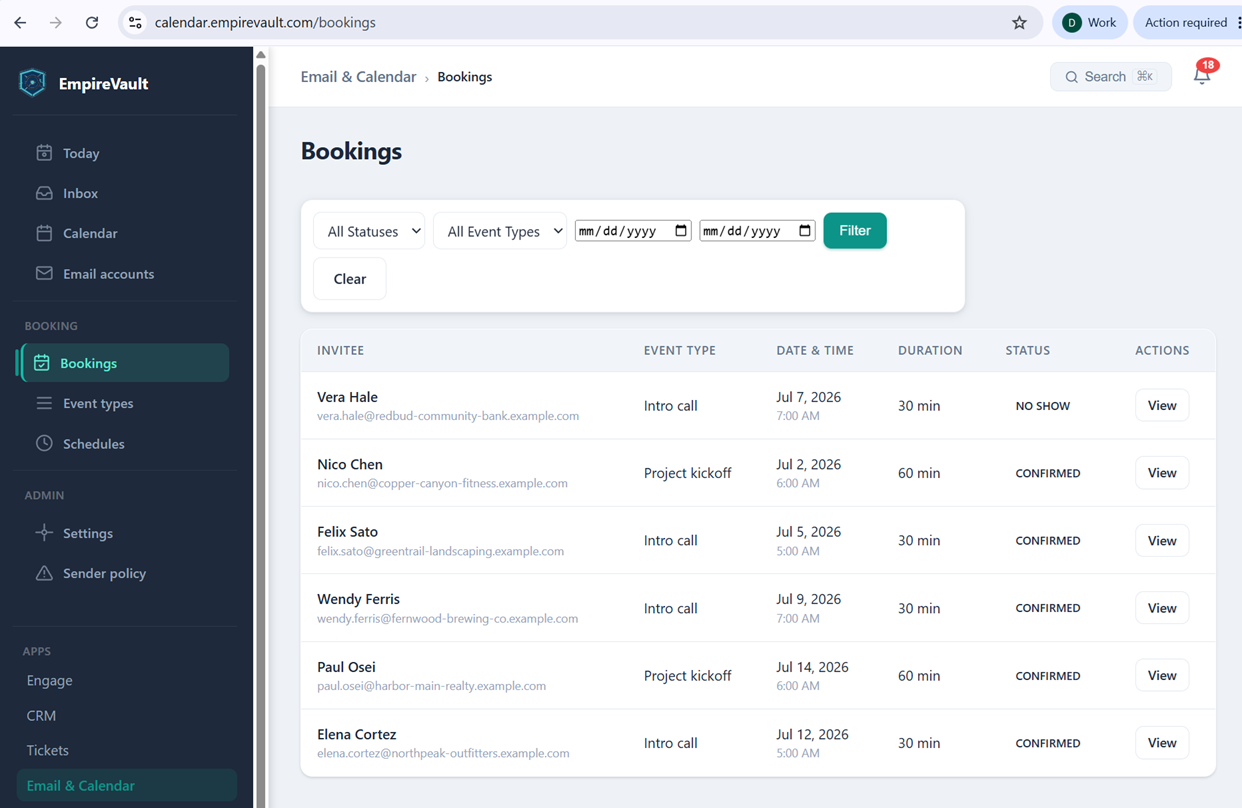
From there the booking is automatic. A confirmation page shows the meeting details, and a calendar invitation goes out from the organizer’s own account. The booking lands directly on the team calendar, shown here with six scheduled meetings already sitting on it. If plans change, the client can reschedule or cancel themselves from a link on their confirmation page. That link works right up until the event type’s cancellation window closes. After that, it’s a direct conversation with the organizer.
The time this gives back adds up fast. No one has to hold a slot, check three calendars, or send a “does 2pm work?” email. The client claims the time themselves, and it shows up ready to go, already on the calendar everyone else is watching.
See It with Your Own Data
Every screen shown here ships in one subscription. Try the whole platform free for 21 days.