
Phone and SMS — Your Business Number, Handled
Running a business number usually means a separate vendor account, a separate bill, and a separate login just to check whether a client called back. That’s one more system that doesn’t talk to the CRM.
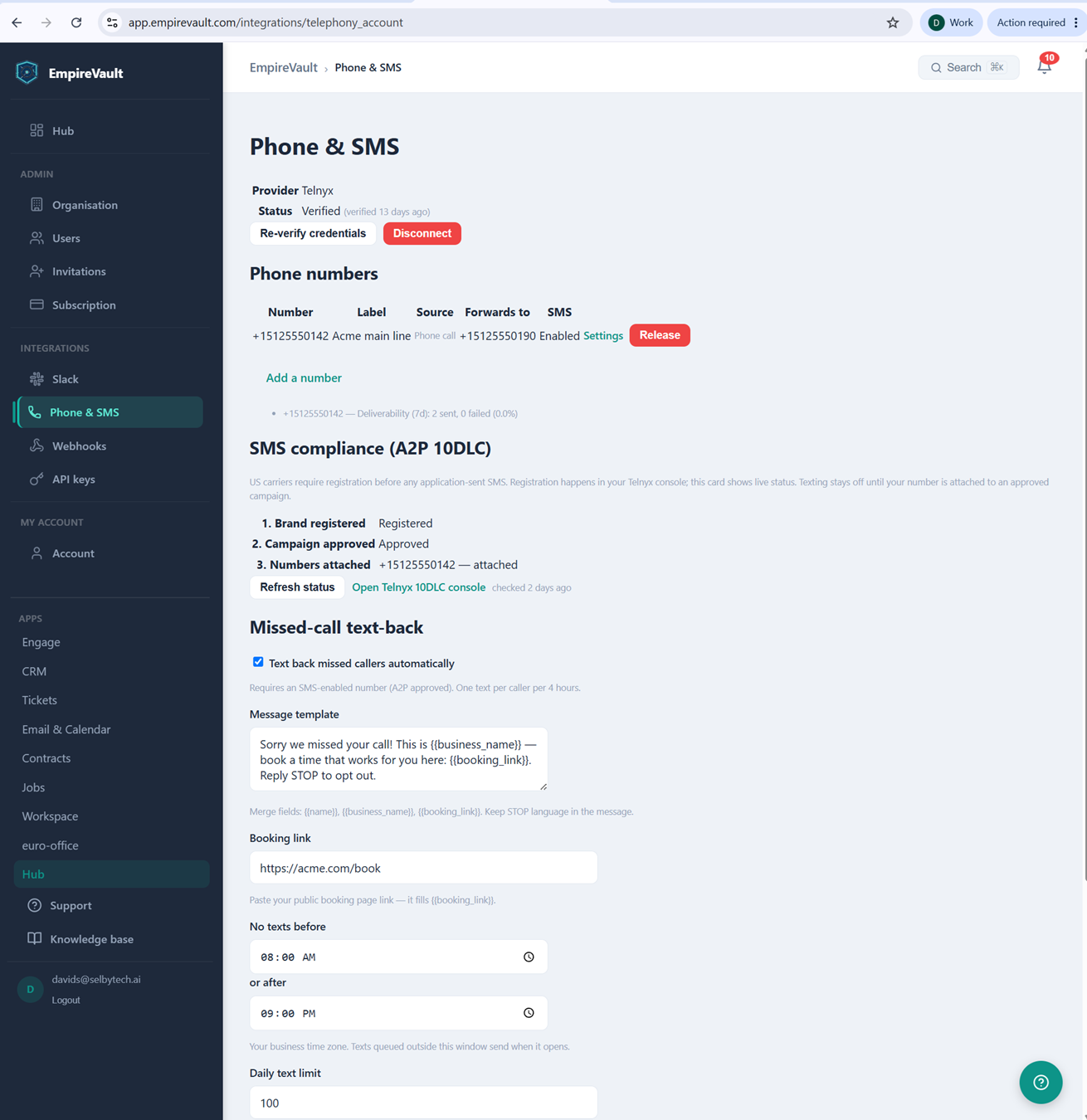
The screen pictured is EmpireVault’s Phone & SMS settings, connected to Telnyx as the provider and verified 13 days ago. One number is live: +15125550142, labeled “Acme main line,” sourced from a phone call and set to forward to +15125550190. SMS is enabled on it, and a Release option is there if it’s no longer needed. A deliverability line under the number shows two texts sent over the past seven days with zero failures.
Below the number sits SMS compliance for A2P 10DLC, the US carrier registration required before any number can text at real volume. Brand registered, campaign approved, and the number attached are all three showing green. A “Refresh status” button and a link straight to the Telnyx console sit beside them. Missed-call text-back is switched on beneath it, with a message template — “Sorry we missed your call!…” — that merges in the business name and a booking link. Quiet hours are set to 8am–9pm. A 100-message daily cap sits on top of the one-text-per-caller-per-four-hours limit, which keeps a single missed call from turning into a loop.
None of the setup requires a phone system administrator on staff. Connect your own Twilio or Telnyx account, then use Add a number to search by area code and buy a new number. You can also claim one you already own on that account. Your provider bills the number fee directly. EmpireVault handles the rest: verification status, compliance progress, and the auto-reply that goes out before a missed caller even has time to hang up and try a competitor instead.
See It with Your Own Data
Every screen shown here ships in one subscription. Try the whole platform free for 21 days.